Ubuntu 24.04 LTS:安装
安装 Ubuntu 24.04 服务器。
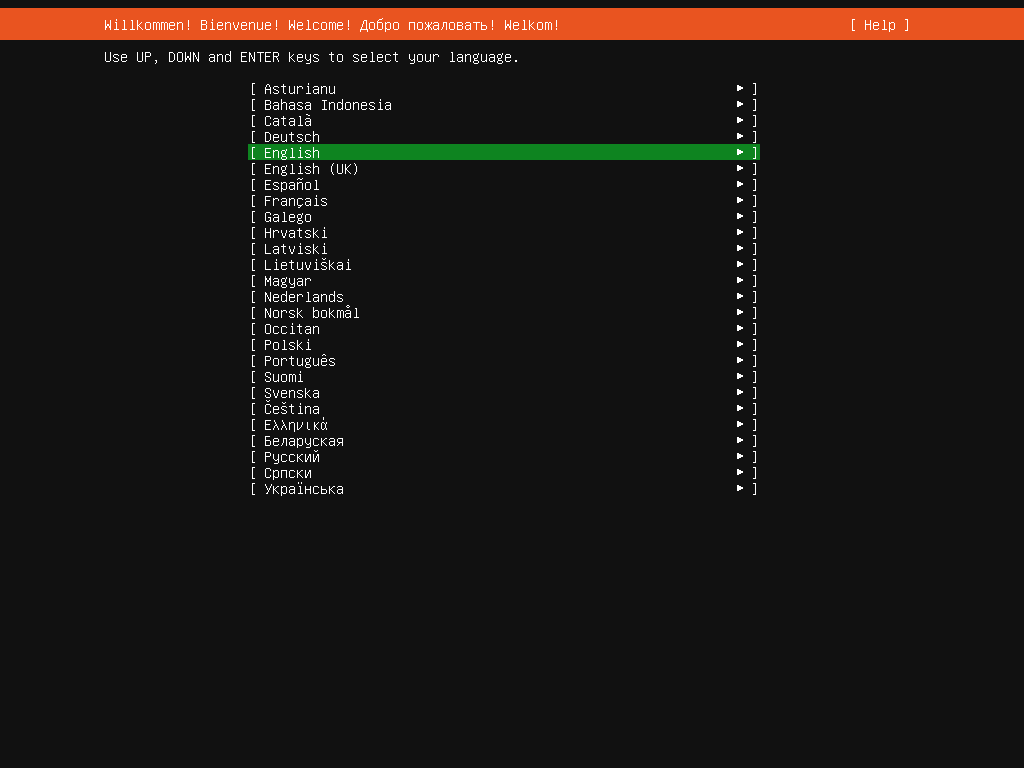
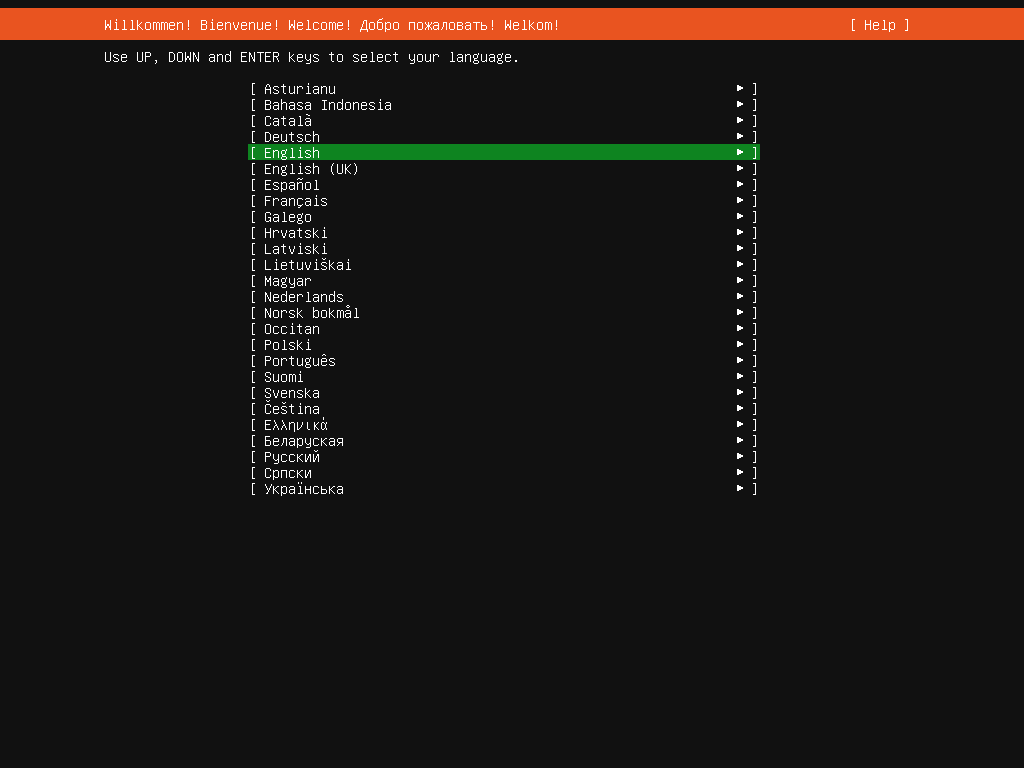
[1] 插入 Ubuntu 24.04 安装盘并重启电脑。接下来,选择你的语言并继续下一步。
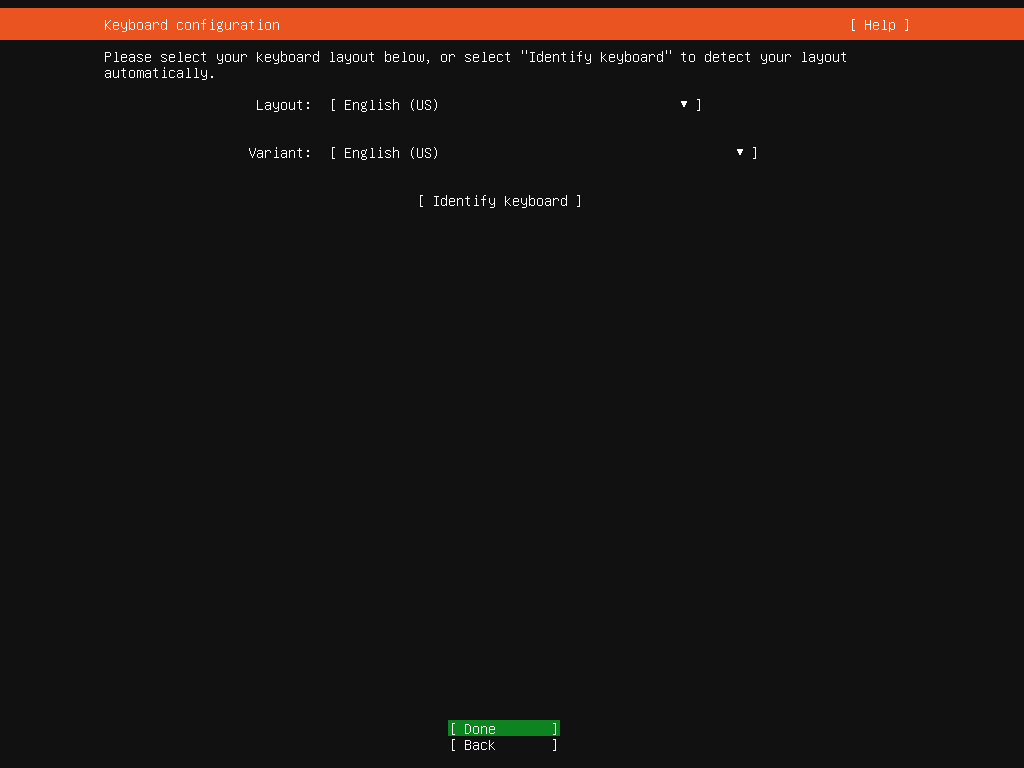
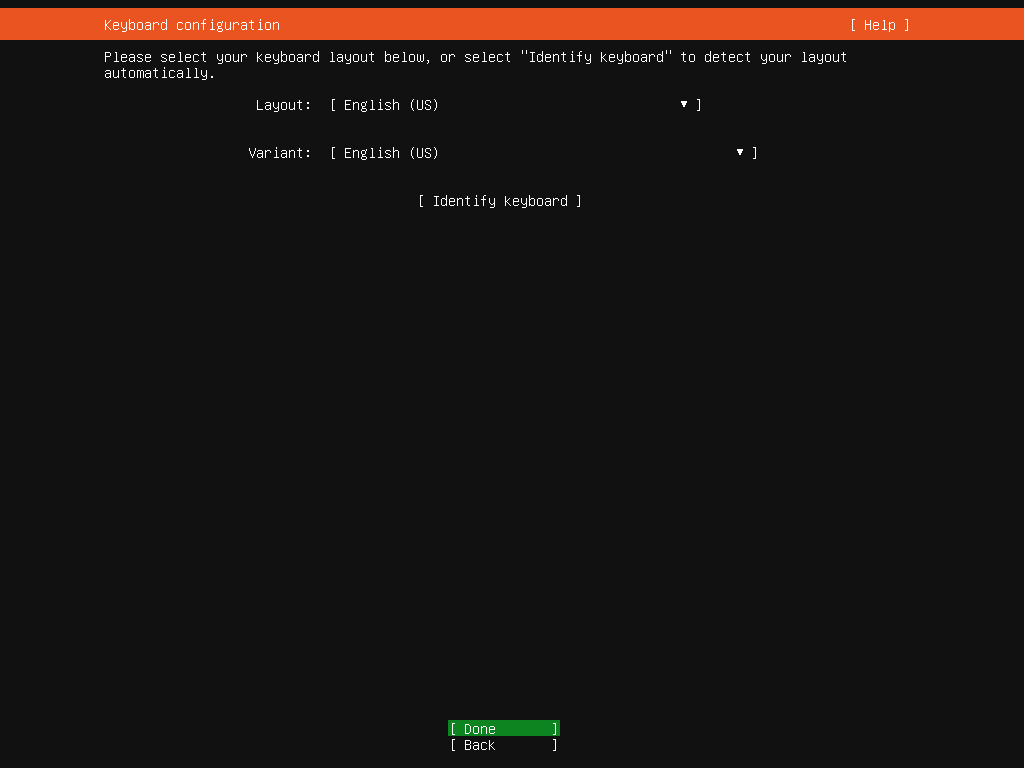
[2] 选择键盘布局。使用 Tab 键移动到下一个字段,使用 Enter 键查看列表,使用光标键选择一个项目。
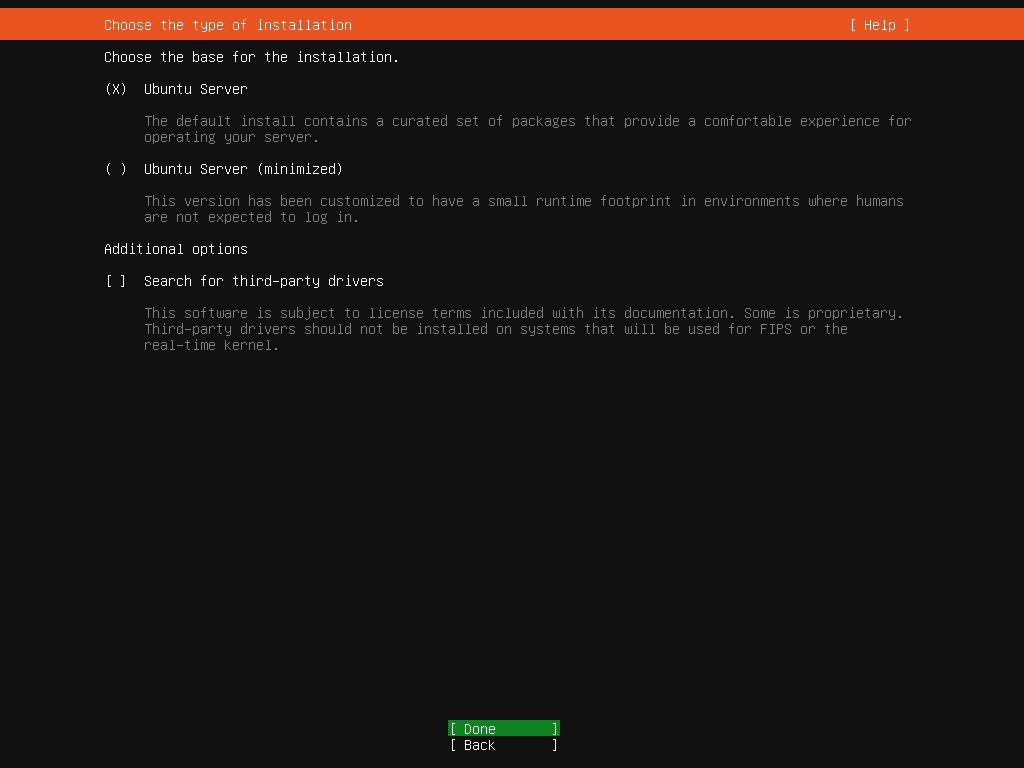
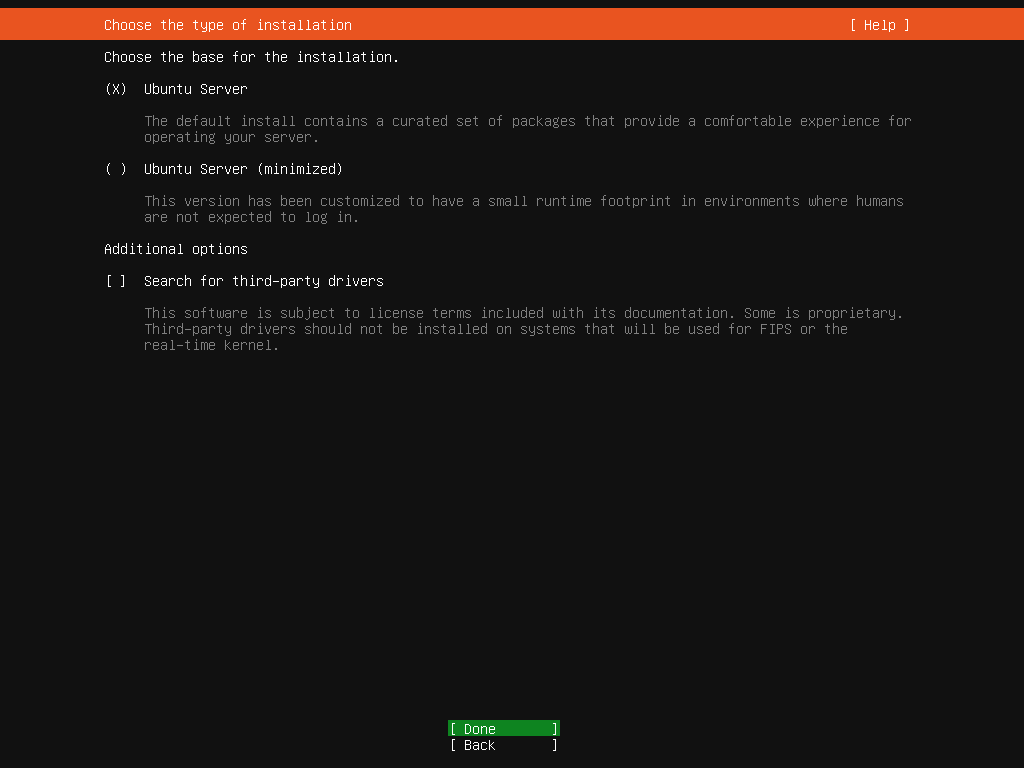
[3] 选择Ubuntu服务器基础进行安装。
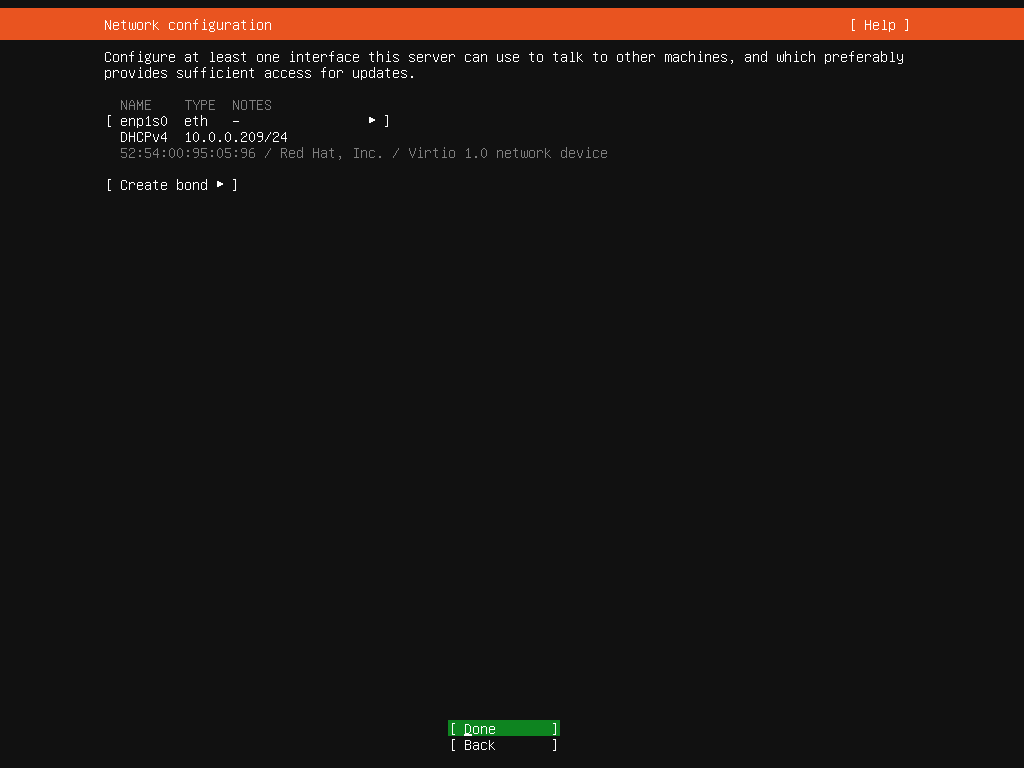
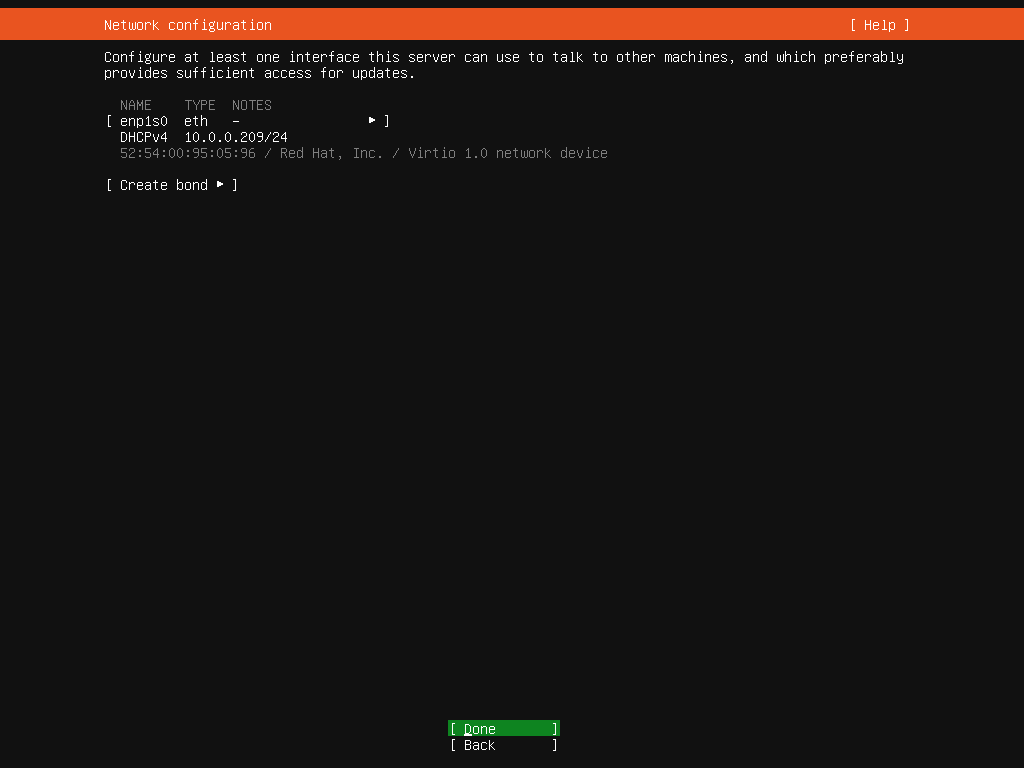
[4] 这是网络配置部分。如果您的本地网络中存在 DHCP 服务器,则会自动分配 IP 地址。
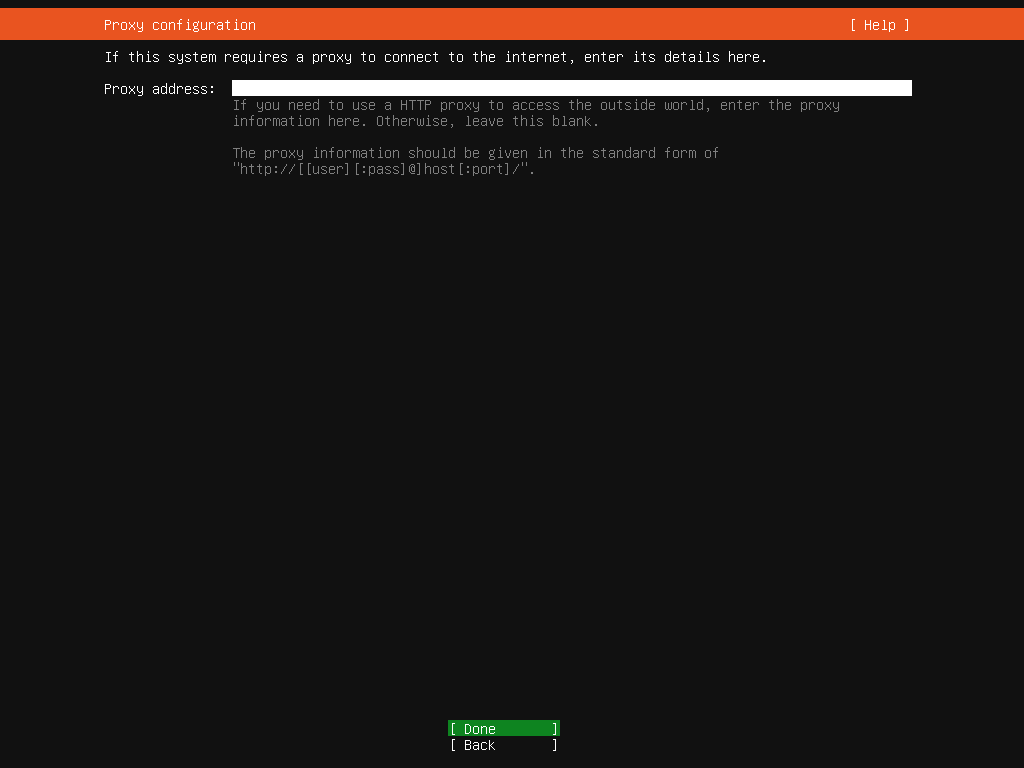
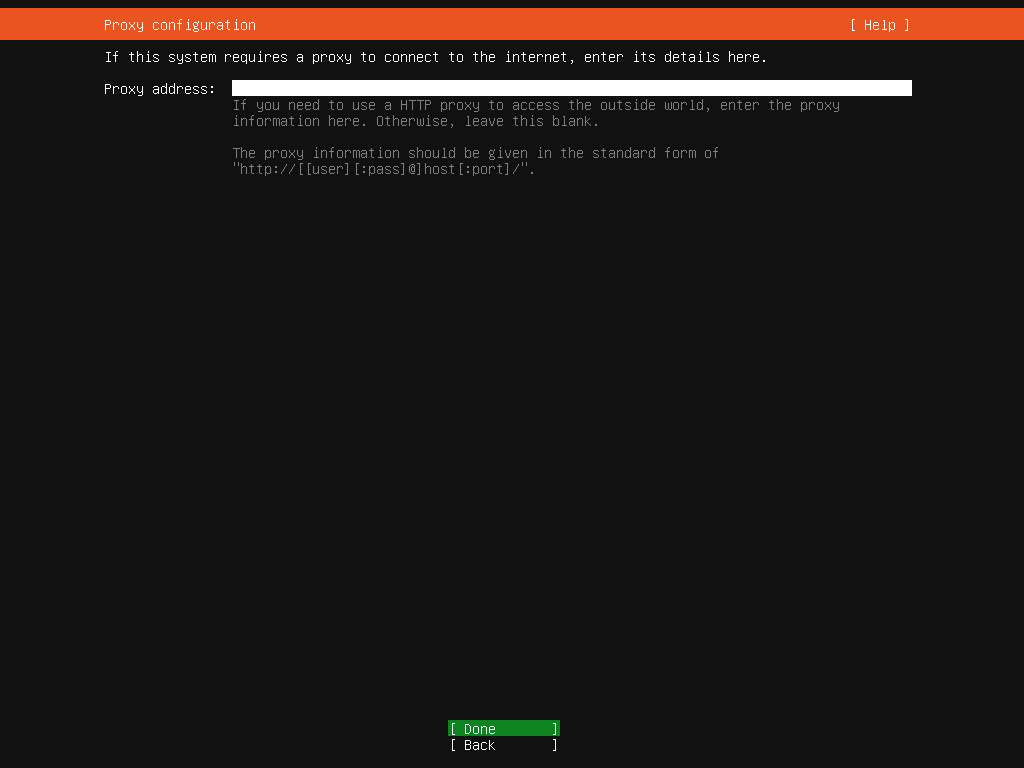
[5] 如果需要,请设置代理服务器 URL。如果不需要,则保留空白。
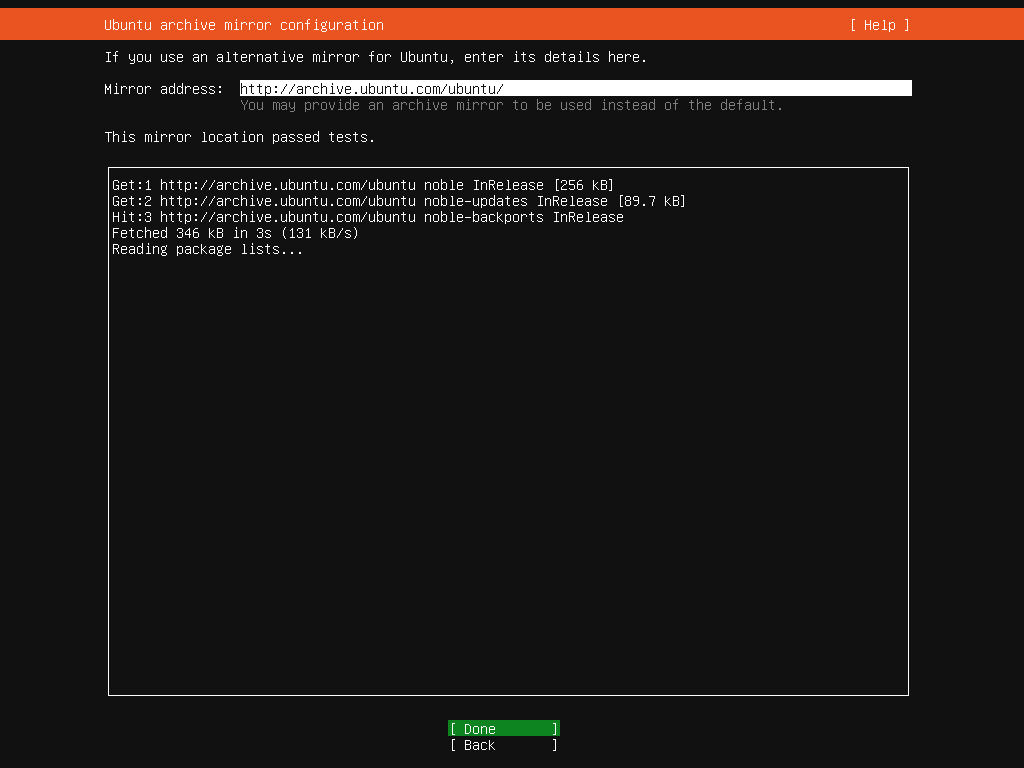
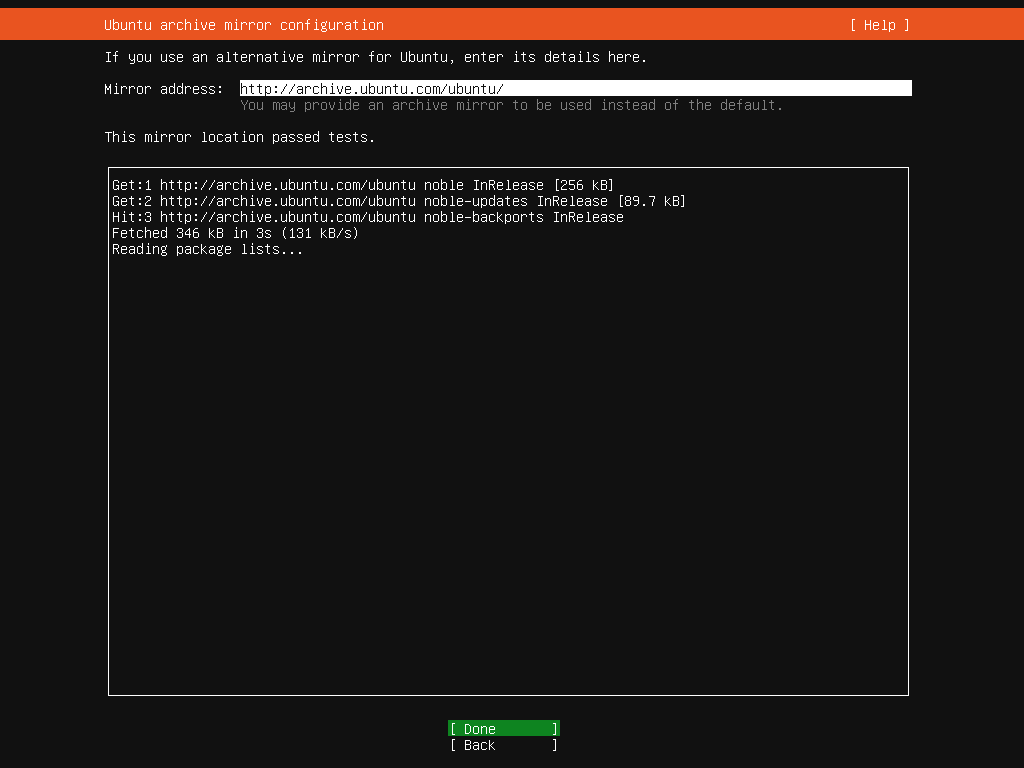
[6] 输入镜像服务器的 URL 来获取镜像包。通常情况下,它会根据你的位置自动配置最近的镜像服务器。
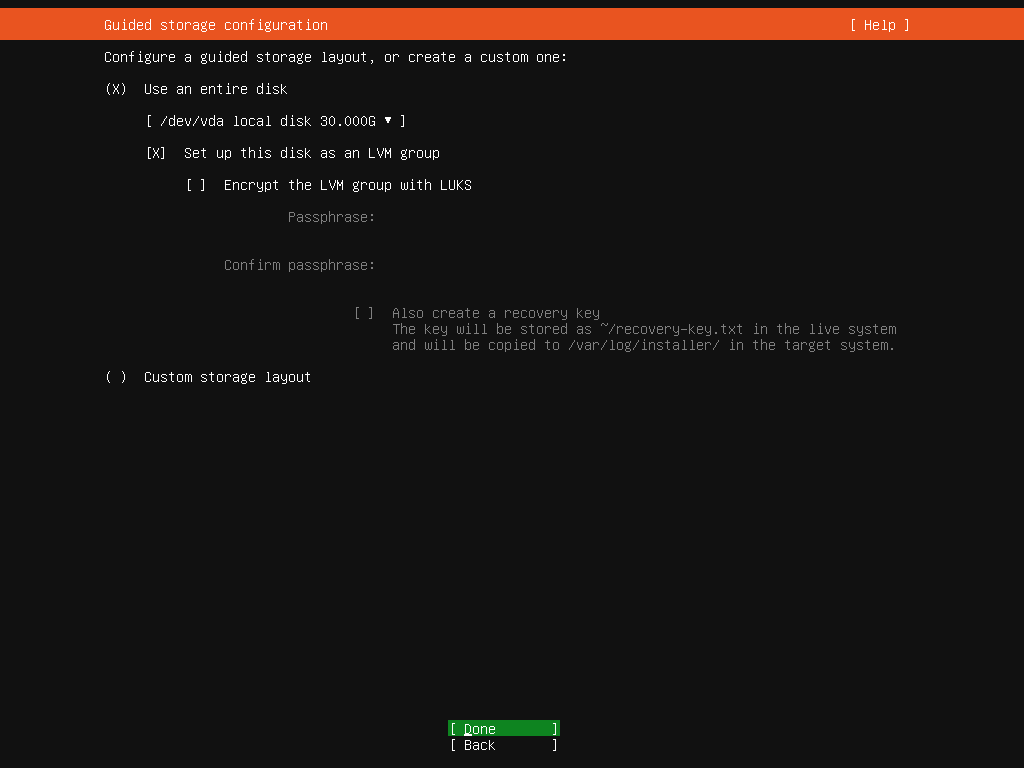
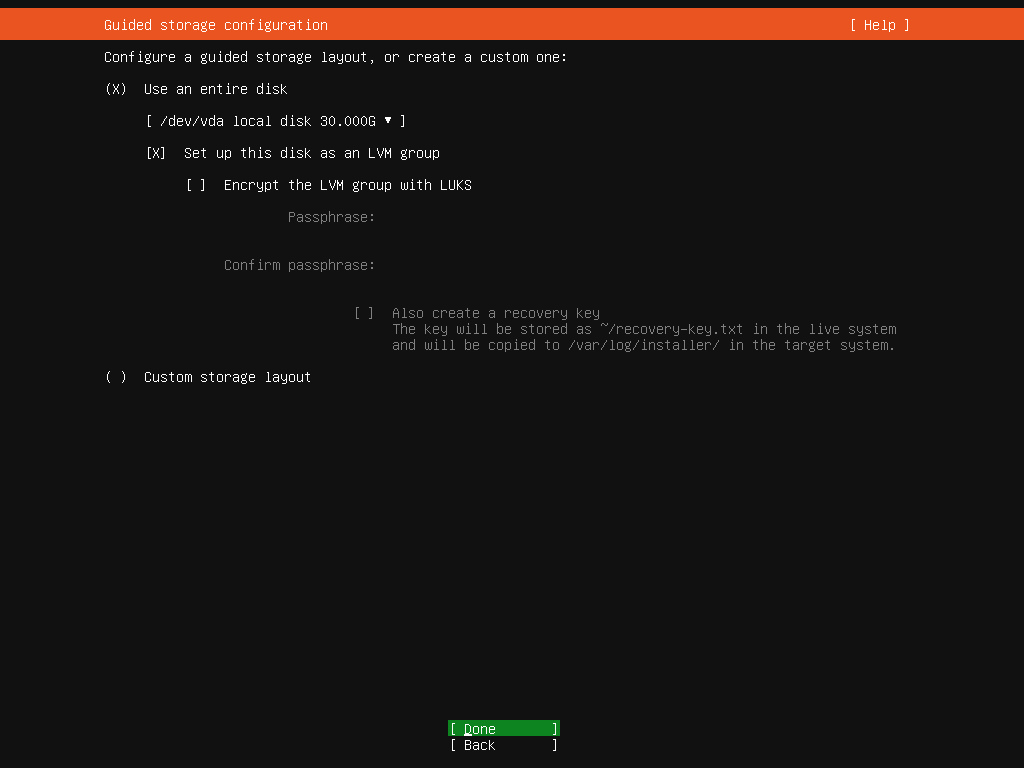
[7] 这是存储配置部分。配置分区布局等。如果您没有特殊要求,可以使用默认设置。
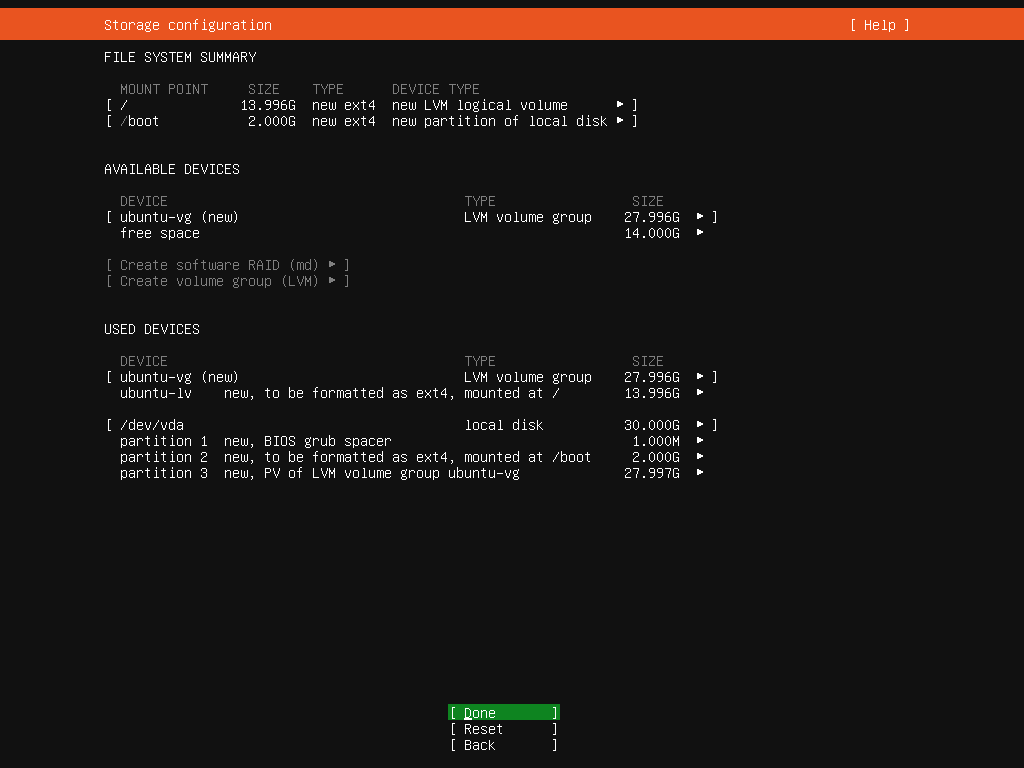
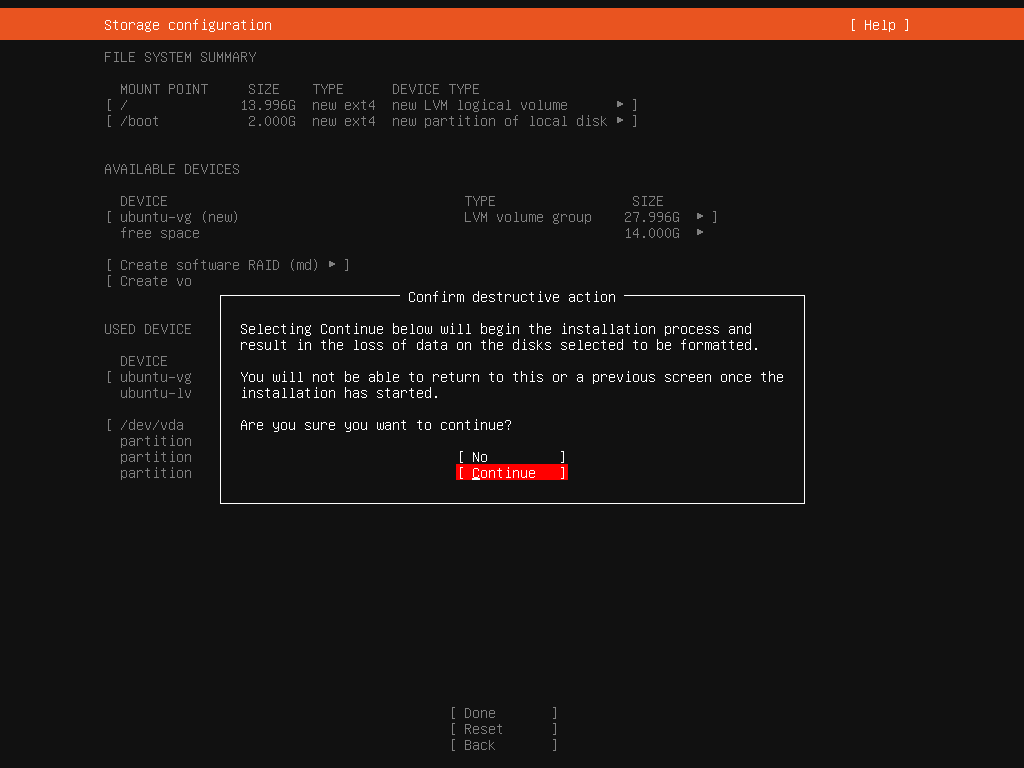
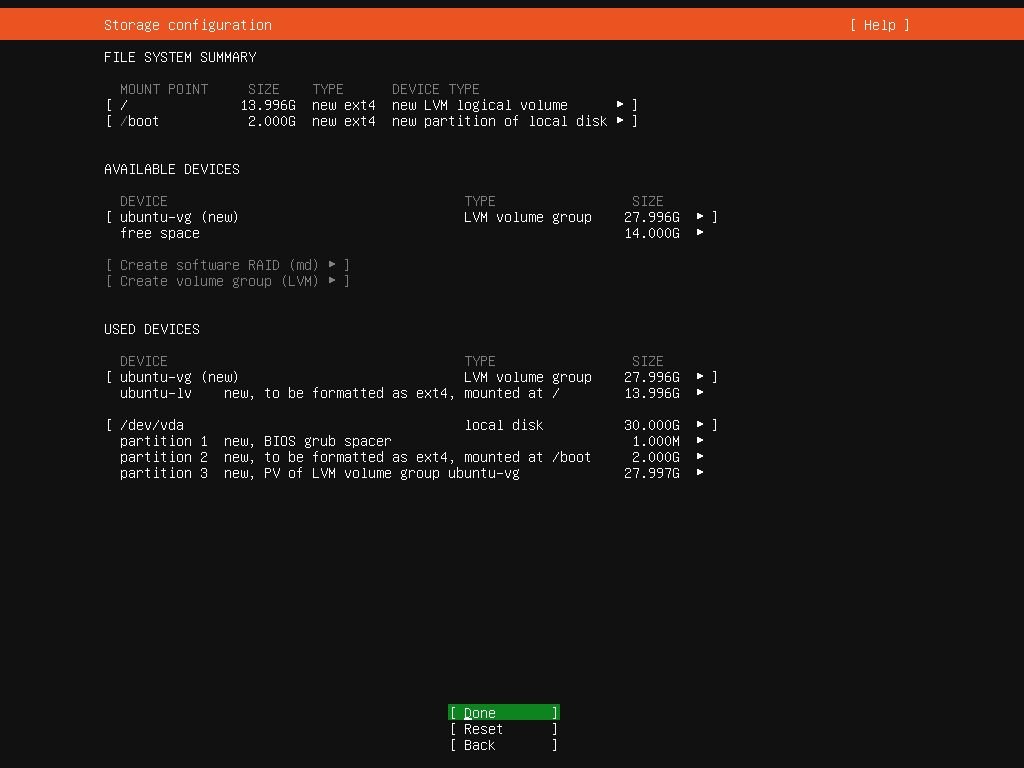
[8] 这是存储配置摘要。如果一切正常,请选择 [完成] 并继续下一步。
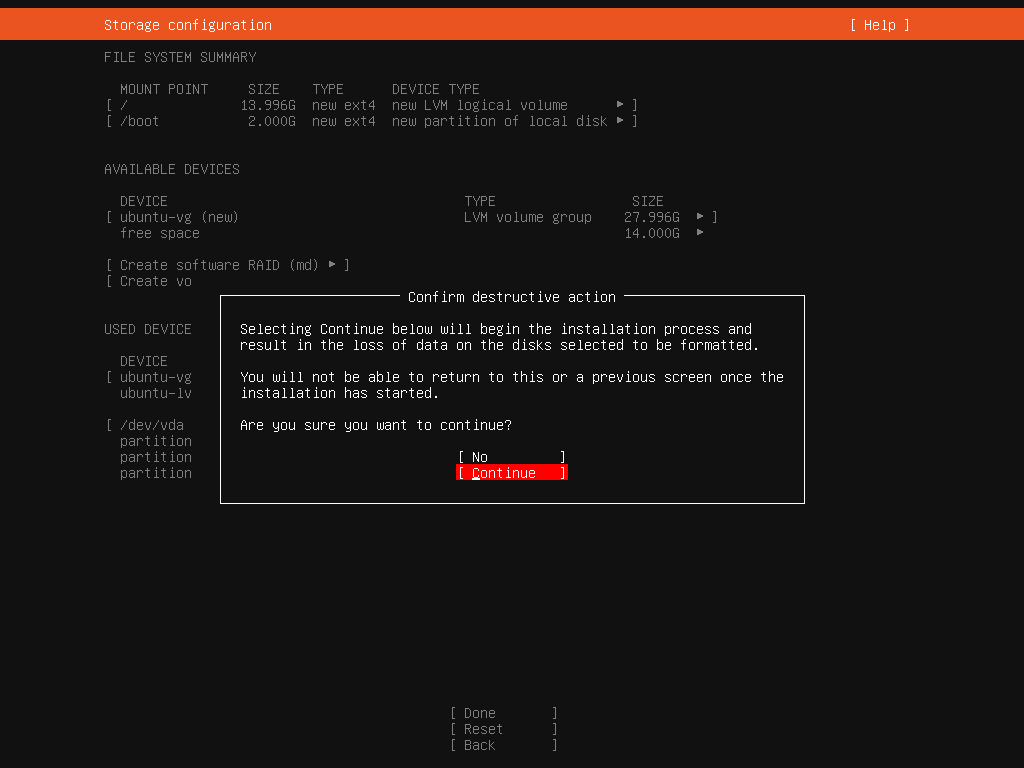
[9] 由于所选存储中的现有数据已全部格式化,因此需要确认。如果确认,请选择[继续]。
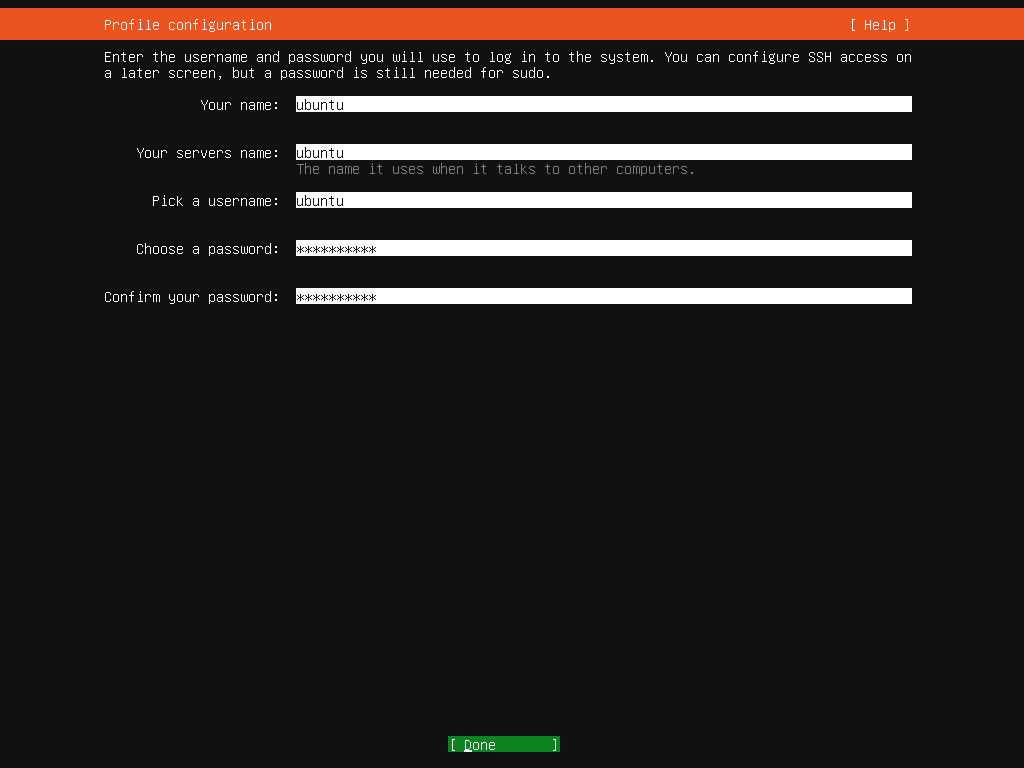
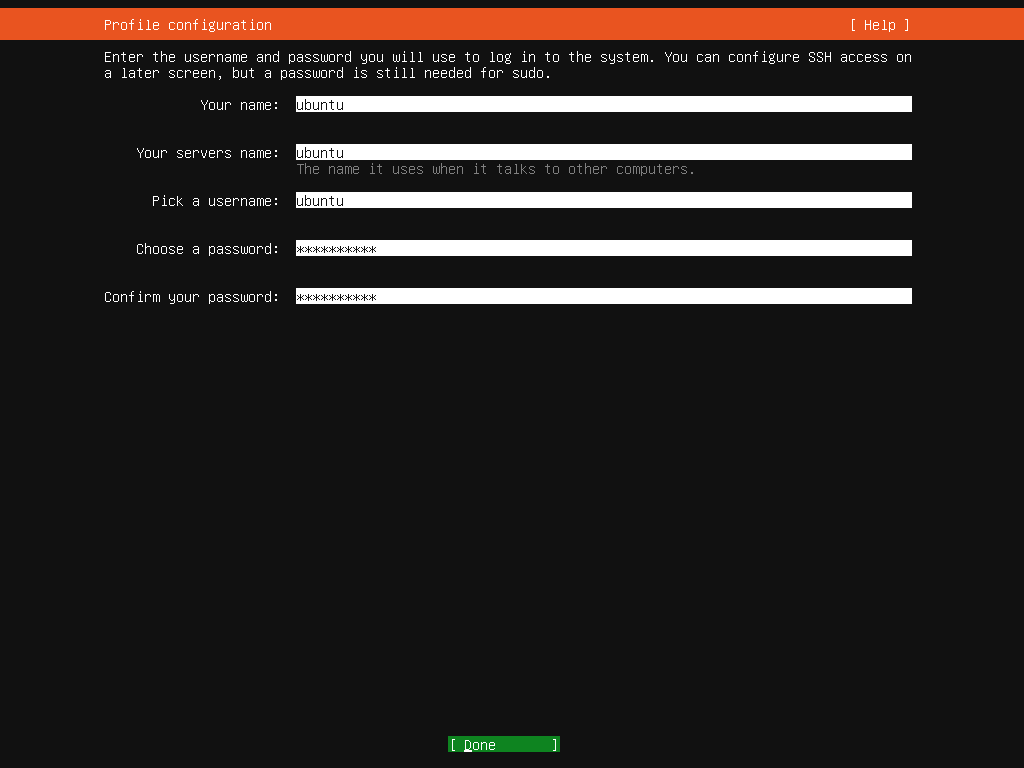
[10] 设置管理用户帐户。输入您喜欢的任何用户名和密码。
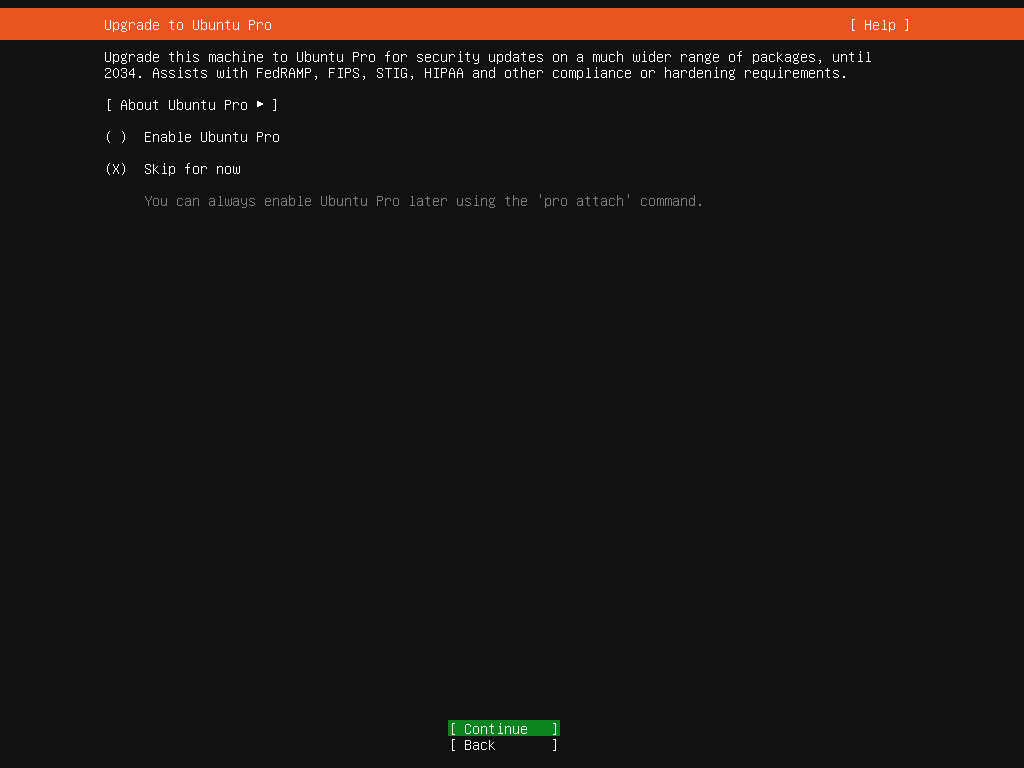
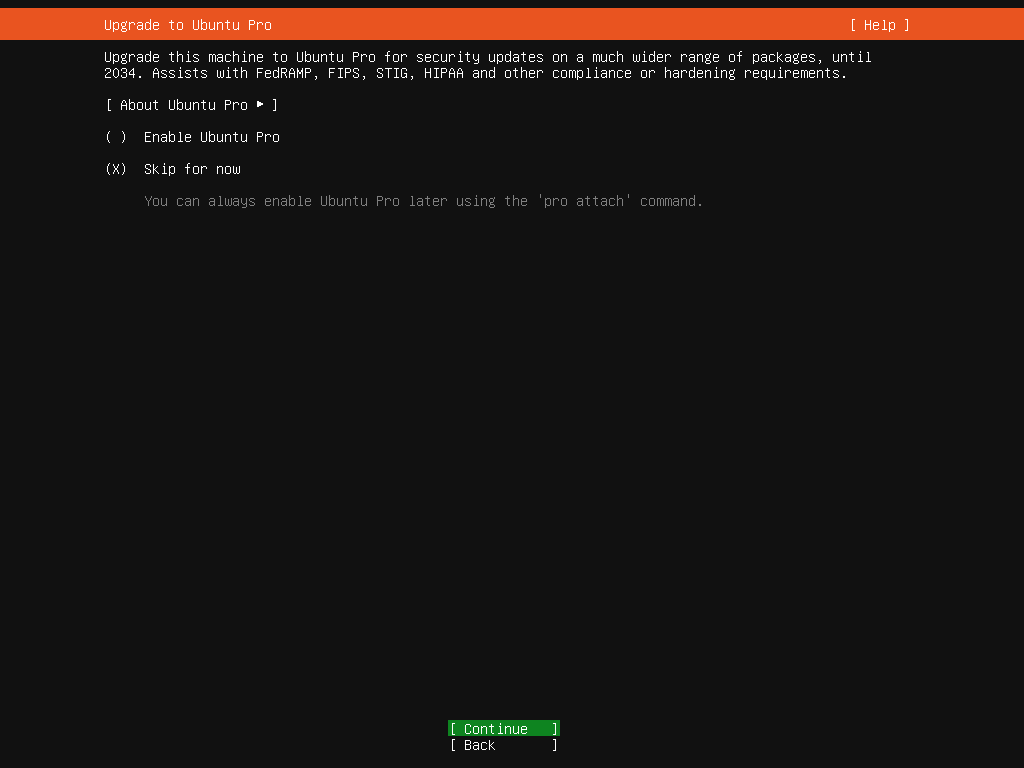
[11] 选择是否升级到 Ubuntu Pro。Ubuntu
Pro 提供 10 年付费支持。
但最多可免费为 5 台设备进行个人使用。(需要 Ubuntu One 帐户)
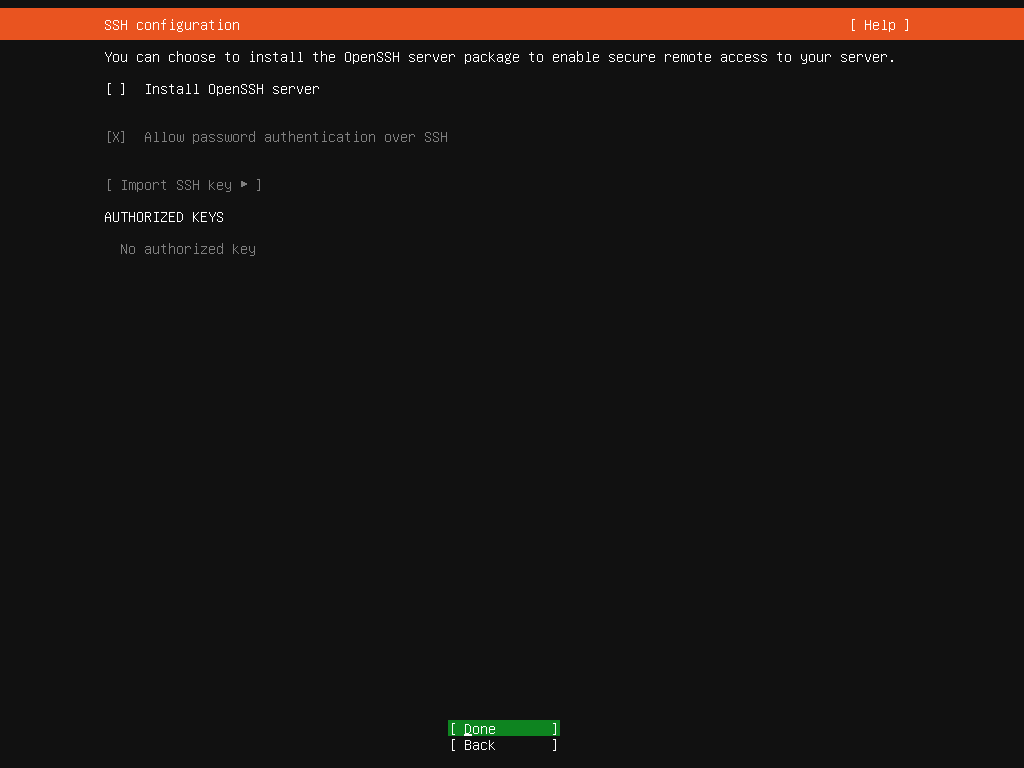
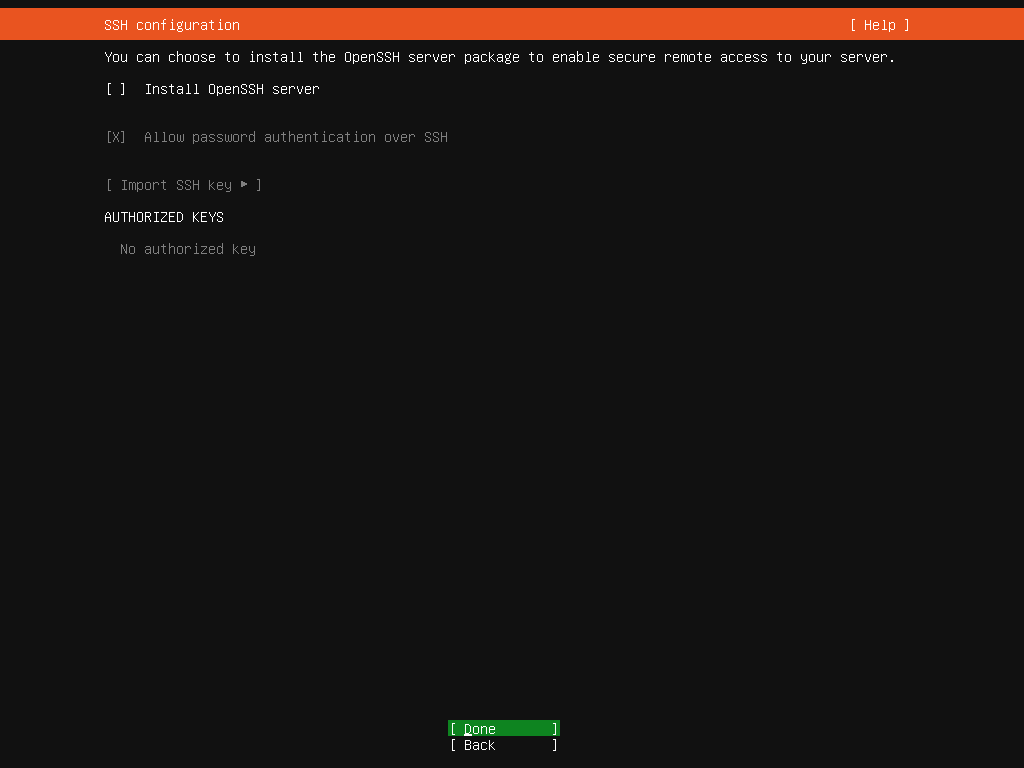
[12] 本次安装时选择是否安装SSH服务器。
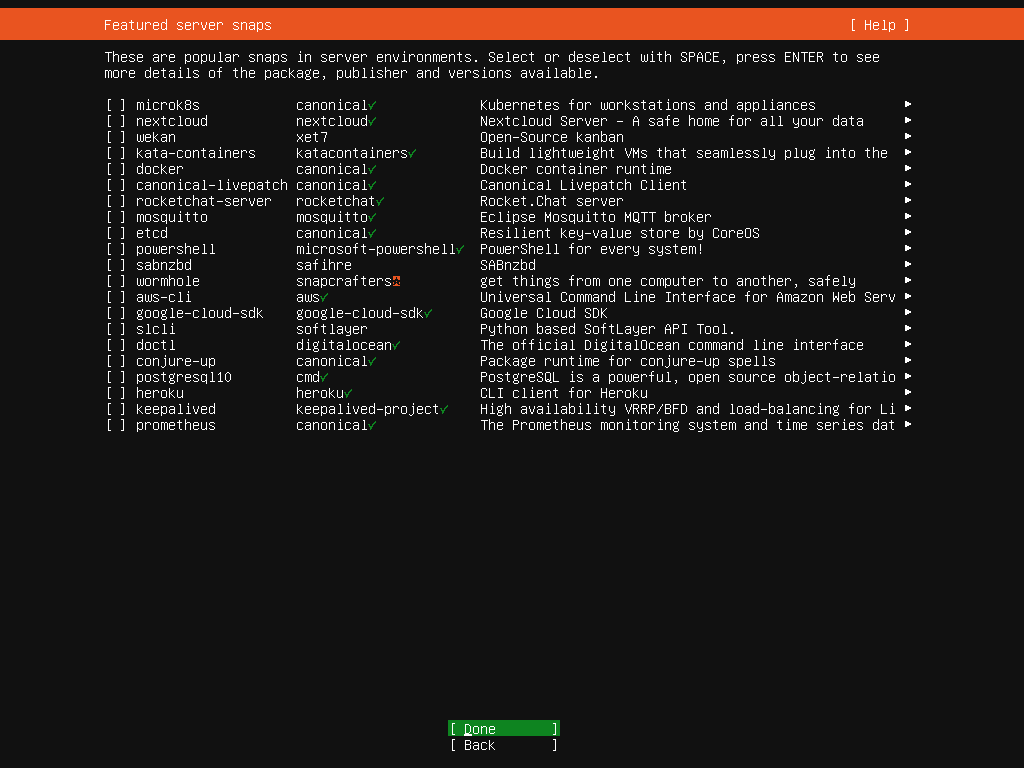
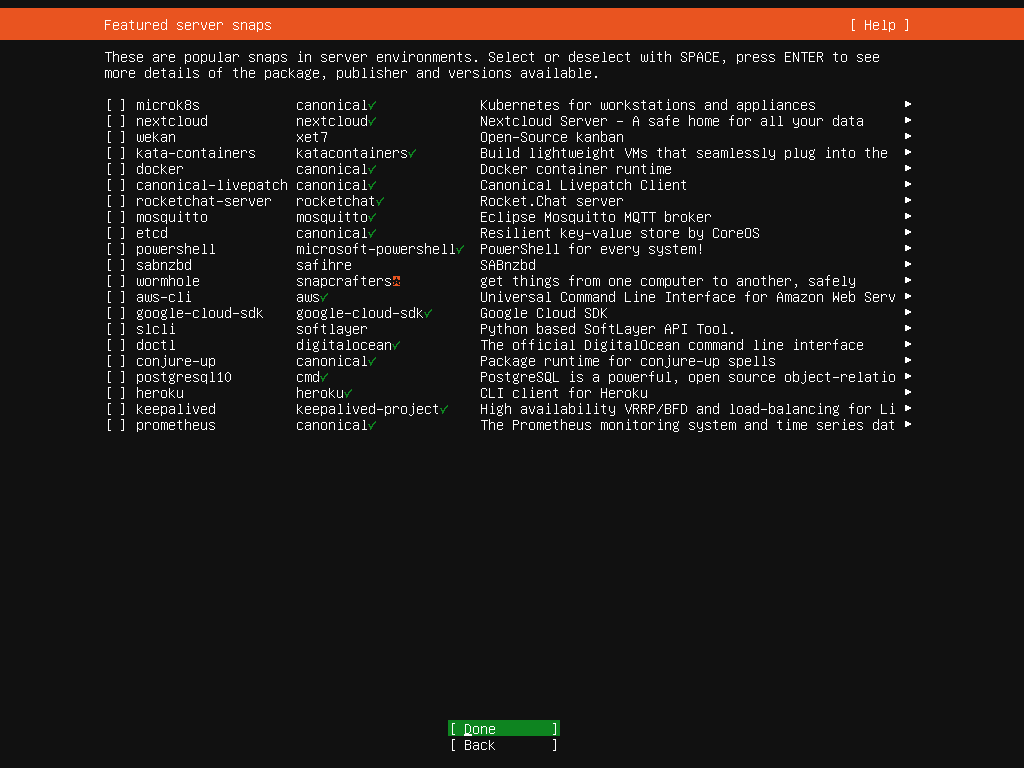
[13] 选择服务器使用中经常使用的应用程序或软件环境。如果您没有特定要求,可以不勾选任何项目。
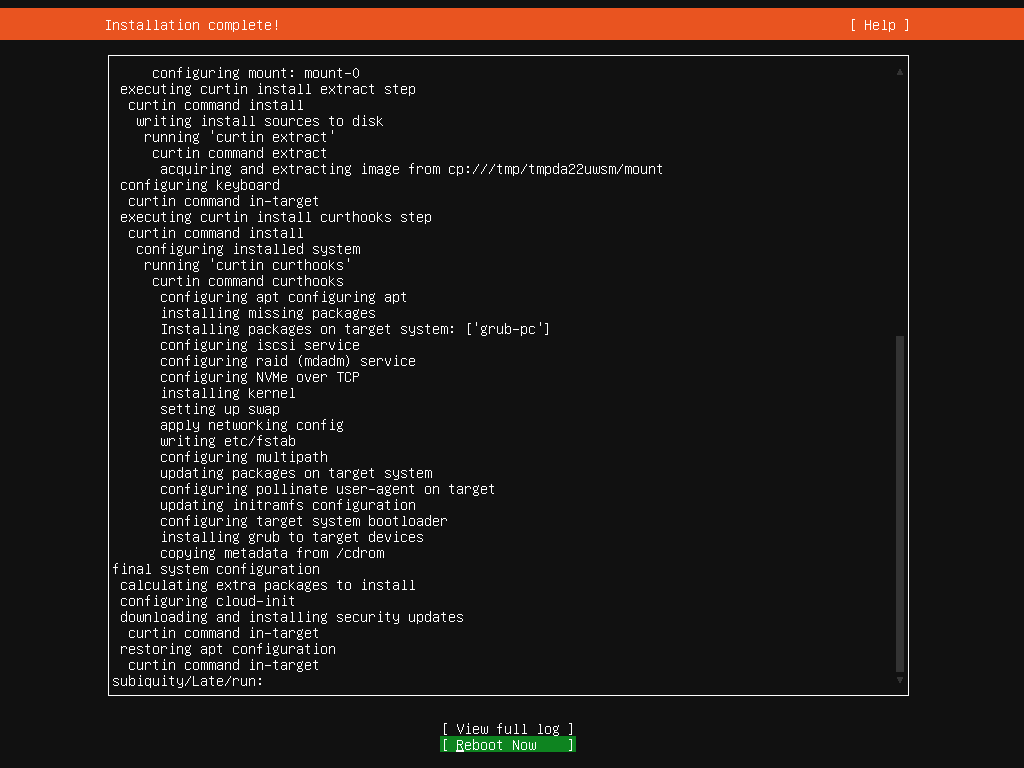
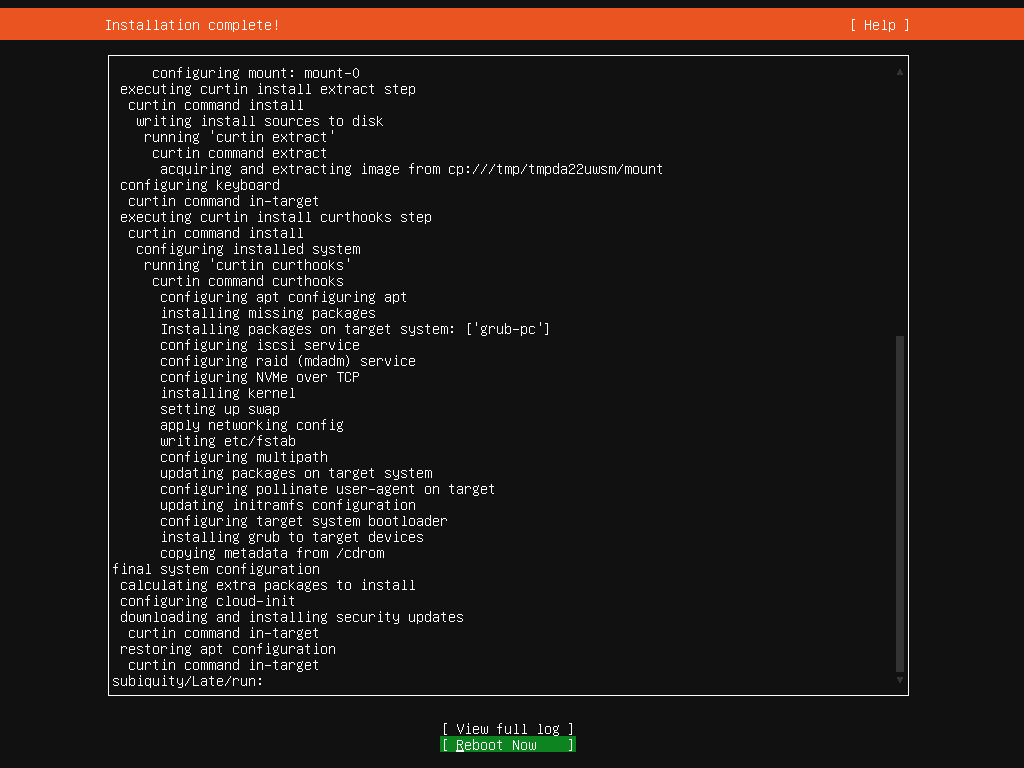
[14] 安装过程完成后,选择[立即重启]重新启动计算机。
[15] 重启电脑后,使用安装时设置的用户和密码登录。如果登录正常,则表示 Ubuntu Server 安装成功。
Ubuntu 24.04 LTS ubuntu ttyS0

ubuntu login: ubuntu
Password:
Welcome to Ubuntu 24.04 LTS (GNU/Linux 6.8.0-31-generic x86_64)

 * Documentation:  https://help.ubuntu.com
 * Management:     https://landscape.canonical.com
 * Support:        https://ubuntu.com/pro

 System information as of Fri Apr 26 01:09:32 UTC 2024

  System load:  0.2                Processes:               143
  Usage of /:   21.9% of 27.39GB   Users logged in:         0
  Memory usage: 5%                 IPv4 address for enp1s0: 10.0.0.213
  Swap usage:   0%

Expanded Security Maintenance for Applications is not enabled.

0 updates can be applied immediately.

Enable ESM Apps to receive additional future security updates.
See https://ubuntu.com/esm or run: sudo pro status


The programs included with the Ubuntu system are free software;
the exact distribution terms for each program are described in the
individual files in /usr/share/doc/*/copyright.

Ubuntu comes with ABSOLUTELY NO WARRANTY, to the extent permitted by
applicable law.

To run a command as administrator (user "root"), use "sudo <command>".
See "man sudo_root" for details.

ubuntu@ubuntu:~$
|